How to Apply for a Pakistan Driving License Online in Just 5 Minutes
If you drive a bike, car, or any other vehicle in Pakistan, having a valid driving license is extremely important. Without an official license, the traffic police can stop you and issue a heavy fine. That’s why every responsible citizen should have a proper government-issued driving permit before going on the road.
Today, the process has become easier than ever. You can now create your learner driving license from home in just five minutes using the government’s online licensing system. Everything is digital—no lines, no agents, no office visits.
Below is the complete, step-by-step guide.
Step 1: Open the Official Driving License Website
Open any web browser like Chrome or Firefox and search for “Driving License”.
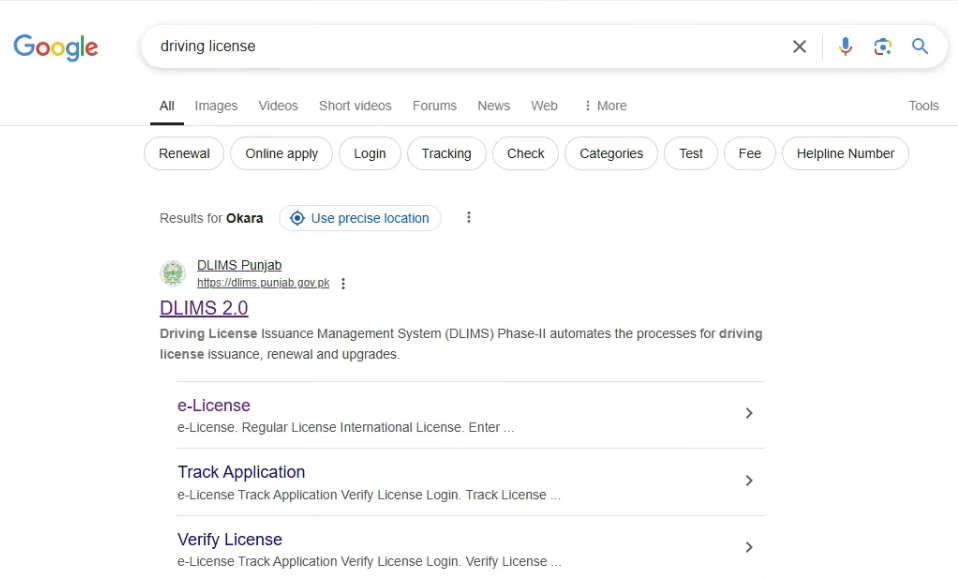
The official government licensing portal “dlims.punjab.gov.pk” will appear at the top.
Open the website and click the “Apply License” button.
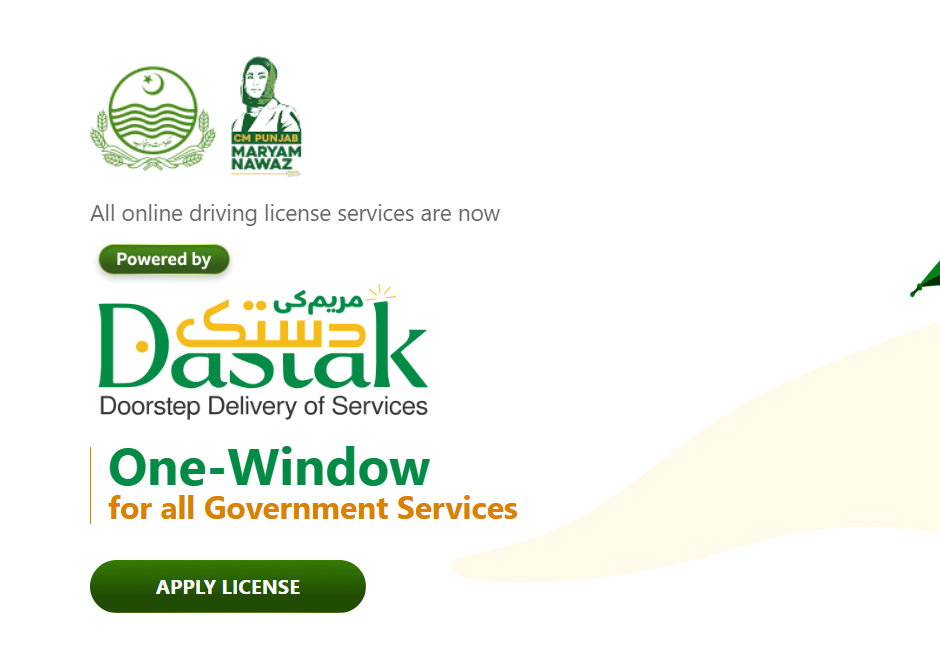
The system will take you to the login page.
Step 2: Create Your Online Account
Before applying, you must register an account on the online portal.
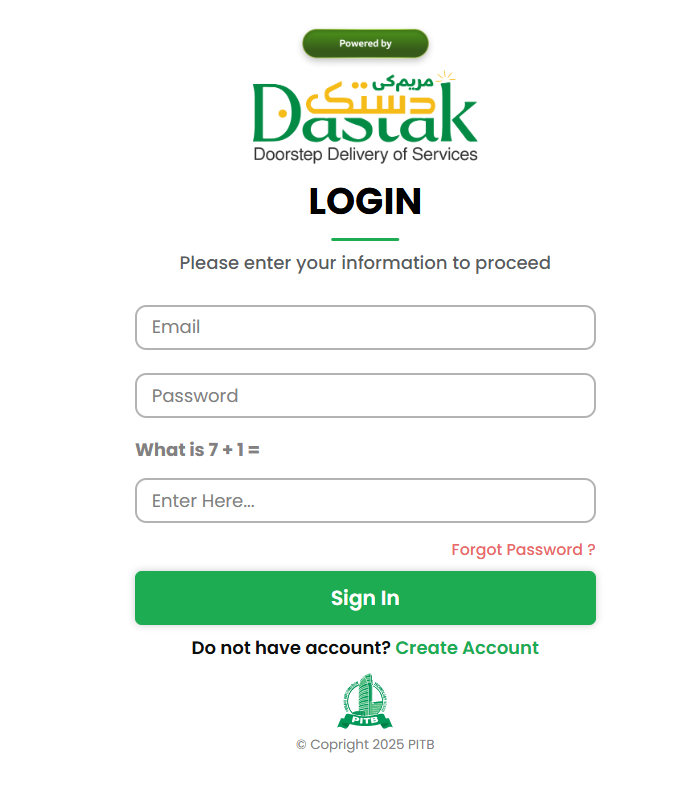
Click on “Create Account” and fill in the required details:
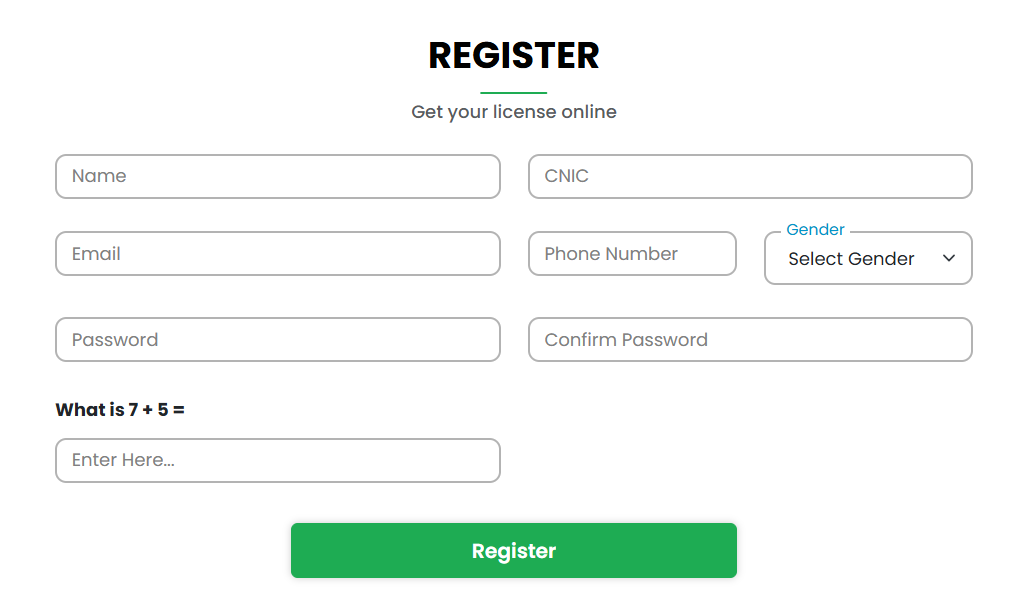
- Full Name
- CNIC Number
- Email Address
- Phone Number
- Gender
- Password (strong and secure)
- Answer the security question
Submit the form, and the system will confirm your registration.
Now log in using your email, password, and security answer.
This account will be used for all future license services, including renewals, duplications, and status checks.
Step 3: Access Your Dashboard
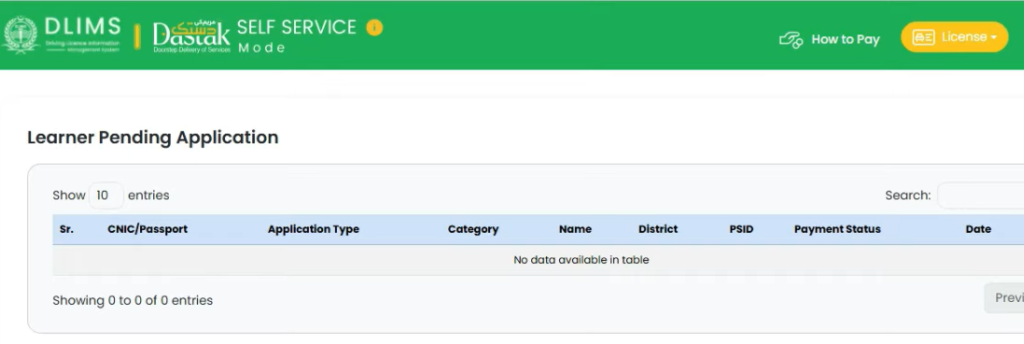
Once logged in, you will land on your dashboard where multiple services are available, such as:
- International Driving Permit
- Regular License Renewal
- Duplicate License
- Application Status
- Learner License Application
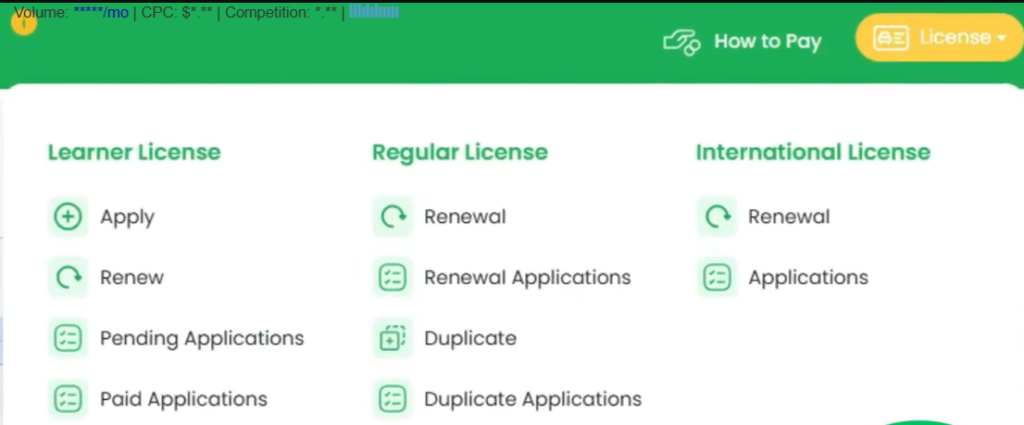
To create a new license for the first time, select “Apply” under the Learner License section.
Step 4: Enter Your Complete Information
A form will appear asking for your personal details. Enter everything carefully:
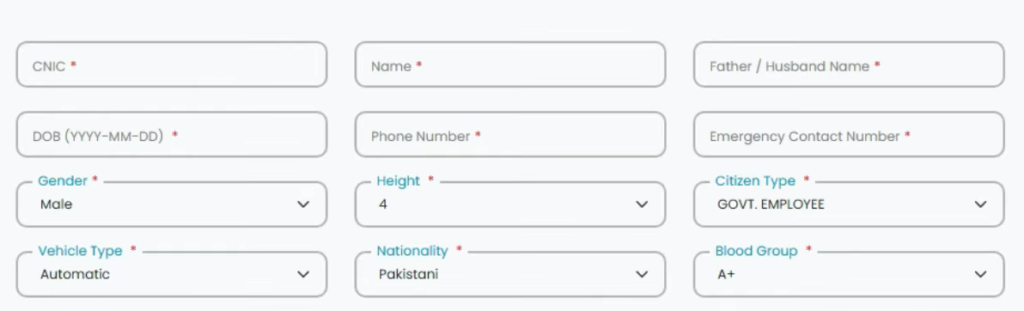
- CNIC
- Full Name
- Father’s Name
- Date of Birth
- Mobile Number
- Emergency Contact Number
- Gender
- Height
- Citizen Category (Student, Private Employee, Govt Employee, etc.)
Choose Vehicle Transmission
- Manual
- Automatic
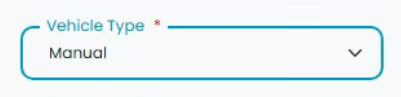
Selecting Manual is recommended because it allows driving both manual and automatic vehicles.
Next, provide additional information such as:
- Nationality
- Blood Group
- Disability (Yes/No)
Address Details
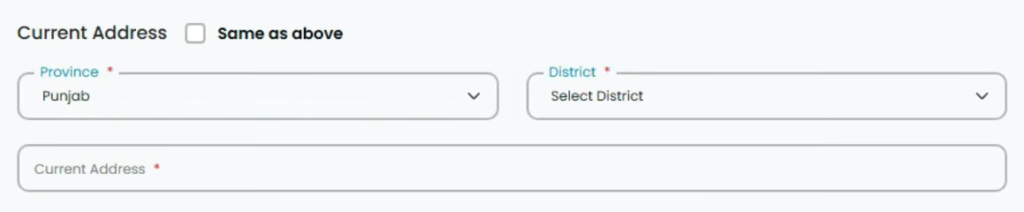
Enter your permanent address and select your:
- Province
- District
- Complete house address
If your current and permanent address are the same, simply tick the “same address” box.
This information will be used for verification and future license updates.
Step 5: Upload Required Documents
You must upload clear, valid documents:
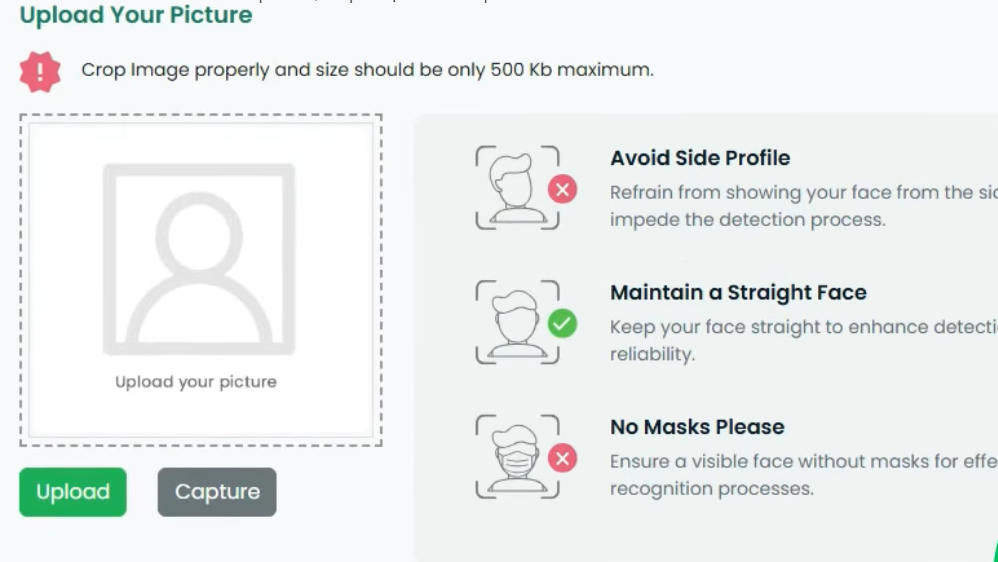
- Your photo (under 500 KB, clear background recommended)
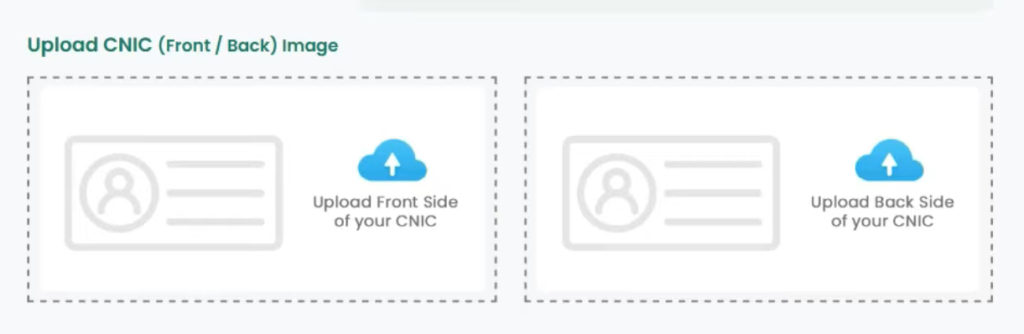
- CNIC front (under 500 KB)
- CNIC back (under 500 KB)
Now select the license category you want:
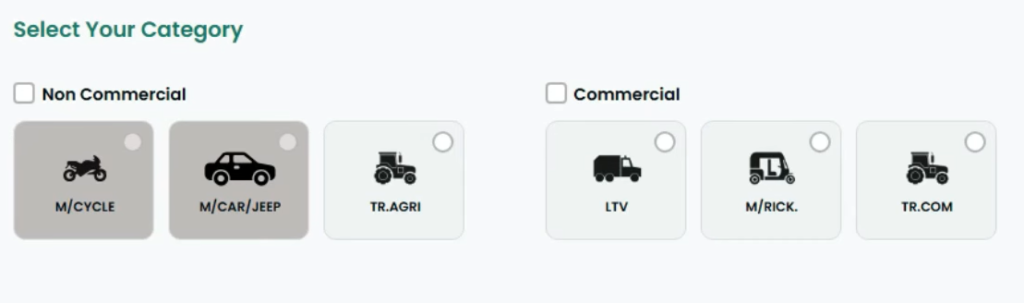
- Non-Commercial
- Commercial
- Both (fees will increase)
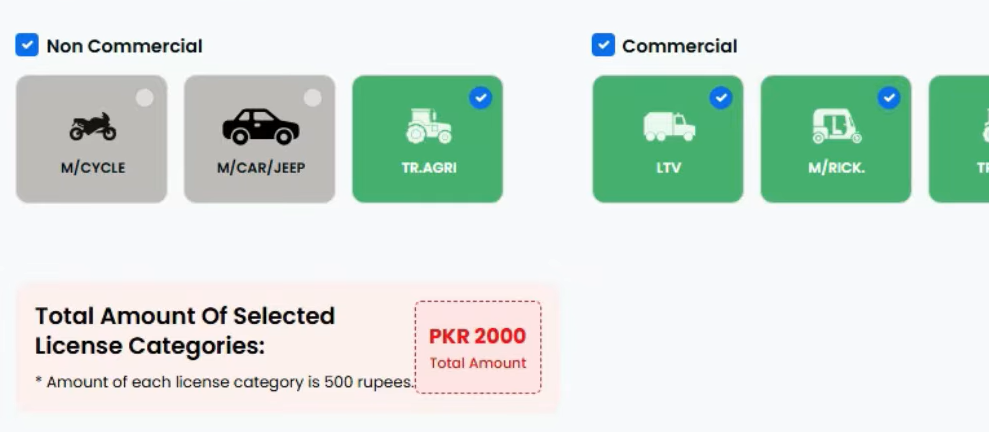
Choose only the categories you need.
Step 6: Pay Your License Fee
After submitting the application, the system will generate a PSID (Payment Slip ID) on your dashboard.
Open Easypaisa or JazzCash and follow these steps:
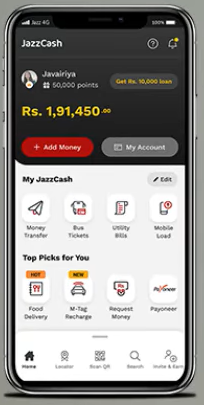
- Go to Government Payments
- Select Excise & Taxation
- Enter your PSID
- Tap Fetch
- Pay the displayed amount
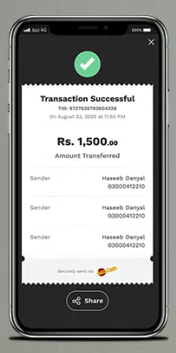
The payment will be updated automatically after verification.
Step 7: Download Your Learner Driving License
Once the fee is verified, go back to your account and open Application Status.
You will now see your Learner Driving License on the screen along with a Print button.
Download it or print it instantly.
Your learner license is now active, and you can practice driving legally until it expires. After the required days, book your driving test and apply for your permanent driving license.
FAQs About Applying for a Pakistan Driving License Online
Can I apply for a driving license online if I don’t have a CNIC?
No. A valid CNIC (Computerized National Identity Card) is mandatory to register and apply for any driving license in Pakistan.
How long does it take to get my learner driving license online?
The online process itself takes about 5 minutes. Once the payment is verified, you can instantly download your learner license.
Do I need to visit the office at any stage?
No, the entire application process—from registration to payment and downloading the license—is fully digital. You only need to visit the office later for your permanent license test.
What vehicles can I drive with a learner license?
Your learner license allows you to practice driving the type of vehicle specified in your application (motorbike, car, or both), depending on your chosen transmission type.
Can I apply for both commercial and non-commercial licenses at the same time?
Yes, but the fees will be higher if you select both categories. Only select the type you truly need.
How do I renew my license or check its status online?
Log in to your account on the official portal. From your dashboard, you can access services like license renewal, duplicate license requests, or application status checks.
What happens if my documents are rejected?
You will receive a notification on your account. Recheck your uploads for clarity and file size, correct them, and resubmit.
Conclusion
Applying for a Pakistan driving license online has never been easier. With just a few clicks, you can register, submit your details, pay the fee, and download your learner license—all from the comfort of your home. The official government portal makes the process fast, secure, and hassle-free, eliminating the need for long queues or middlemen.
Remember, having a valid license not only keeps you legally protected on the road but also ensures your safety and the safety of others. Follow the steps carefully, provide accurate information, and start practicing driving legally today. Once ready, you can book your driving test for a permanent license without any stress.